

Selenium Mobile Testing is often misunderstood: Selenium can automate mobile browsers, but it cannot automate native mobile apps, and confusing the two leads to flawed automation strategies.
Many teams search for “Selenium Mobile Testing” expecting a single tool that handles everything mobile.
Here’s the direct answer:
Selenium can automate mobile web browsers. It cannot automate native Android or iOS apps.
The problem? Tutorials blur this line.
The result? Teams build Selenium-only frameworks and later discover they cannot test their mobile app.
Let’s clarify the boundary—and design this correctly from the start.
What Selenium Mobile Testing Actually Means
Selenium controls browsers using the WebDriver protocol.
It interacts with:
-
HTML DOM
-
JavaScript runtime
-
Browser rendering engines
It does not interact with:
-
Native UI trees
-
Operating system APIs
-
Device hardware layers
This is not a minor technicality. It is the architectural boundary.
If your application runs inside a browser, Selenium can automate it.
If it is installed as an app from Google Play or the App Store, Selenium alone cannot.
Where Selenium Works in Mobile Contexts
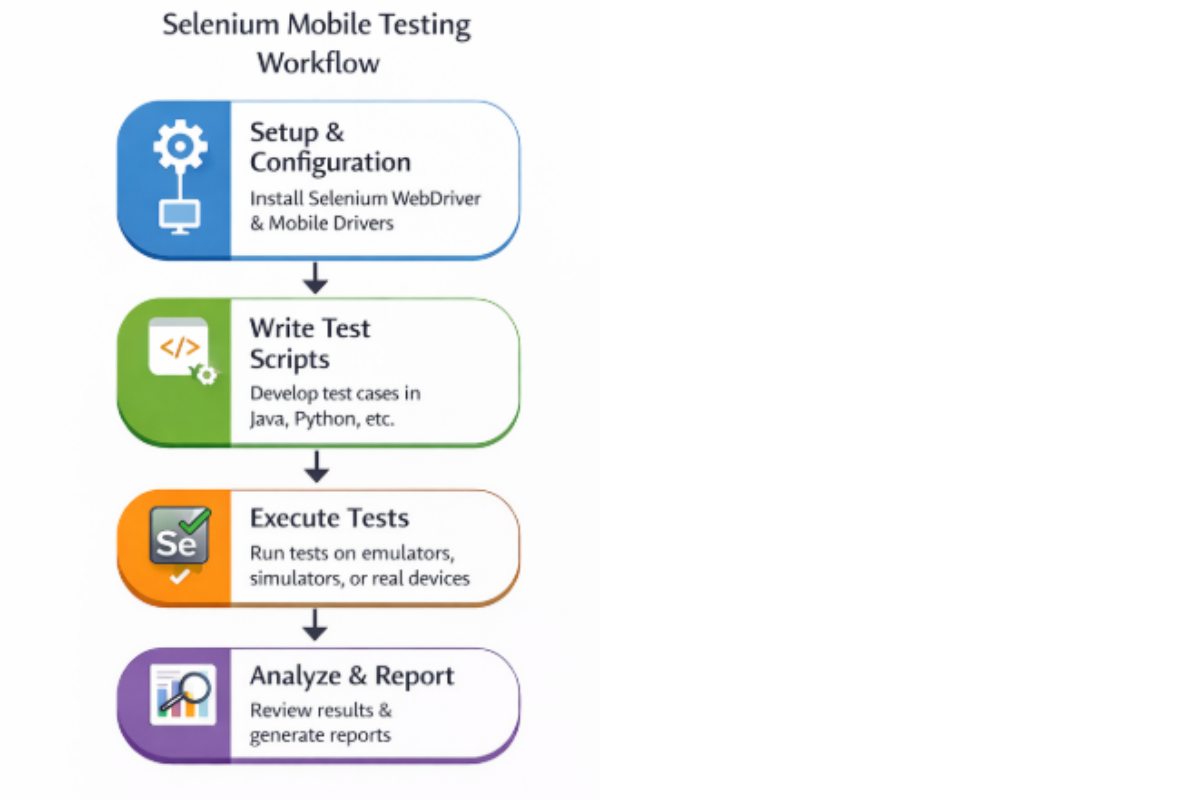
Mobile Web Testing
Selenium is fully capable of testing:
-
Chrome on Android
-
Safari on iOS
-
Responsive layouts
-
Mobile checkout flows
Example scenario:
An e-commerce company validates:
-
Add-to-cart
-
Payment flow
-
Coupon logic
They run the same Selenium suite against:
-
Desktop Chrome
-
Android Chrome
-
iOS Safari
That is valid and scalable.
Mobile Emulation vs Real Devices
Chrome DevTools mobile emulation changes:
-
Viewport size
-
User-agent string
It does not reproduce:
-
Real device CPU constraints
-
Mobile Safari rendering differences
-
Touch physics
-
OS-level keyboard behavior
Comparison Table
| Factor | DevTools Emulation | Real Device |
|---|---|---|
| Layout testing | Good | Excellent |
| Rendering engine accuracy | Limited | Accurate |
| Performance testing | Weak | Realistic |
| Touch behavior | Simulated | Native |
| CI speed | Fast | Slower |
Emulation is a development convenience.
It is not a release-validation strategy.
Where Selenium Fails
Selenium cannot:
-
Install or launch native apps
-
Perform biometric authentication
-
Simulate GPS
-
Handle push notifications
-
Test offline app state transitions
Appium and the WebDriver Extension Model
Appium uses the same WebDriver protocol but connects to:
-
Android UIAutomator2
-
iOS XCUITest
This means:
-
Your Selenium knowledge transfers.
-
Your test patterns transfer.
-
Your execution backend changes.
Comparison Table
| Capability | Selenium | Appium | Hybrid Stack |
|---|---|---|---|
| Mobile web | Yes | Yes | Yes |
| Native apps | No | Yes | Yes |
| Gesture control | Limited | Full | Full |
| Hardware access | No | Yes | Yes |
| CI web pipelines | Excellent | Good | Excellent |
The hybrid stack (Selenium + Appium) is what mature teams use.
Decision Framework—Choosing the Right Stack

Scenario 1: Web-First SaaS
-
No native app.
-
Responsive design only.
Use Selenium.
Add real-device browser validation if traffic justifies it.
Scenario 2: Marketplace with Native Wrapper
-
Core features are web-based.
-
Native shell for push notifications.
Use:
-
Selenium for web.
-
Appium for shell validation.
Scenario 3: Mobile-Native Fintech Product
-
Biometric login.
-
Deep linking.
-
OS permissions.
-
Offline transaction caching.
Selenium alone is insufficient.
Performance, CI/CD, and Scalability
According to principles discussed by the Google Testing Blog and Martin Fowler’s Test Pyramid:
-
UI tests should be fewer than API tests.
-
Slow tests create pipeline bottlenecks.
Relative Execution Speed
| Test Type | Relative Speed |
|---|---|
| Desktop Web | Fast |
| Mobile Browser (Real Device) | Medium |
| Native App (Real Device) | Slowest |
Below is a visual representation:
The slower the layer, the fewer tests you should place there.
The Cost of Getting It Wrong
Teams that start with Selenium-only often face:
-
Locator rewrites (DOM → native accessibility IDs)
-
Infrastructure rebuild for device farms
-
CI runtime explosion
-
Flaky test instability
Illustrative example:
Year 1:
-
Web-only product.
-
Selenium sufficient.
Year 2:
-
Native app launch.
-
70% of the test logic is reusable.
-
30% must be rebuilt.
-
Device infra added.
-
Pipeline time doubles.
Architectural debt is real.
A Modern Layered Automation Model
Mature automation stacks distribute effort strategically.
Illustrative distribution:
-
API tests: 60%
-
Web UI (Selenium): 25%
-
Native App (Appium): 15%
Below is a conceptual distribution:
This aligns with principles from:
-
Google engineering blogs
-
Martin Fowler on test layering
Final Verdict
Selenium Mobile Testing is not a standalone discipline.
It means one of two things:
-
Mobile web testing using Selenium.
-
Mobile app testing using Appium (WebDriver-based).
If you are a beginner:
Start with Selenium. Learn browser automation fundamentals.
If you are building or scaling a native mobile app:
Design for Appium from the beginning.
Selenium remains essential.
But only when used within its architectural boundary.
Mobile testing maturity starts with drawing that line correctly.
